
Learn how to create AI Agents step by step. Beginner-friendly guide with tools, frameworks & real-world examples to build your first digital assistant.
Table of Contents
- Introduction
- What Are AI Agents?
- How These Intelligent Systems Work
- Types of AI Agents
- Tools & Frameworks for Beginners
- 7 Steps to Build Your First AI Agent
- Real-World Use Cases
- Common Mistakes to Avoid
- Best Practices for Beginners
- Conclusion & Next Steps
1. Introduction
Artificial intelligence is no longer limited to experts in the field. Today, anyone can build intelligent assistants capable of automating tasks, answering questions, and making data-driven decisions.
These AI-powered systems are becoming a vital part of modern business and personal productivity. From customer support to personal productivity tools, AI agents are transforming the way we work and interact with technology.
This beginner-friendly guide will help you understand what AI agents are, how they operate, and provide a clear, step-by-step roadmap to create one from scratch—even if you have no prior coding experience.
2. What Are AI Agents?
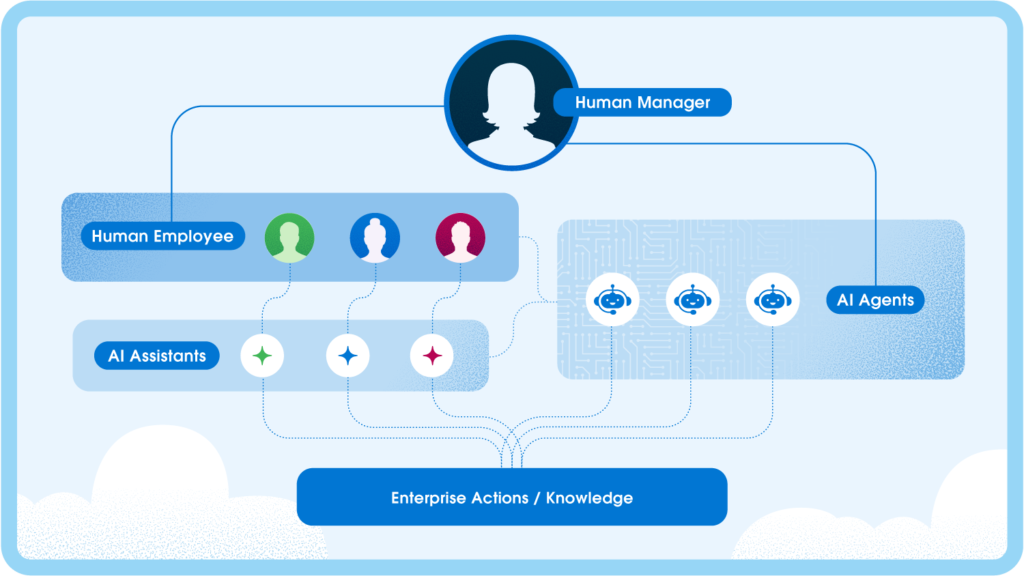
An AI agent is a software system that can process information, learn from data, and perform tasks autonomously.
These digital helpers can:
- Respond to customer queries automatically
- Schedule tasks and reminders
- Recommend products or content
- Optimize workflows based on data
Example: A virtual assistant that manages emails and appointments without human intervention.
3. How These Intelligent Systems Work
Most AI-powered tools operate in a simple loop:
- Input: Receive data, commands, or queries.
- Processing: Analyze information using machine learning or natural language processing.
- Output: Generate a response, recommendation, or action.
- Feedback: Learn from user interactions to improve performance over time.
This loop allows intelligent assistants to become smarter with usage, adapting to user behavior and improving accuracy.
4. Types of AI Agents
Understanding different types helps you choose the right approach:
- Reactive Agents – Operate on predefined rules without memory. Example: simple chatbots that answer FAQs.
- Limited Memory Agents – Remember recent interactions to improve decisions. Example: GPT-powered chatbots.
- Goal-Based Agents – Evaluate actions to achieve specific goals. Example: navigation systems like Google Maps.
- Learning Agents – Continuously learn from data and feedback. Example: recommendation systems like Netflix.
5. Tools & Frameworks for Beginners
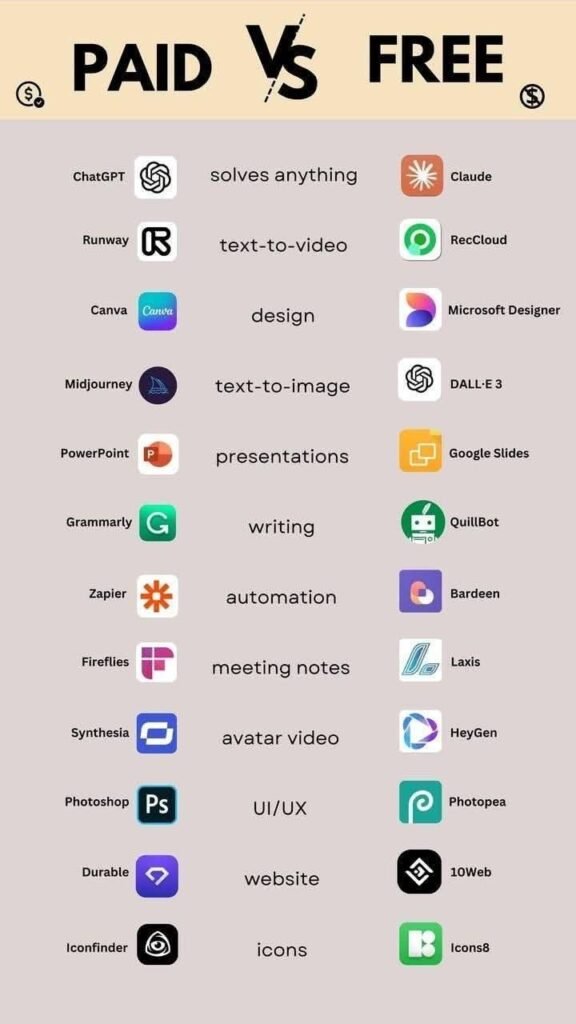
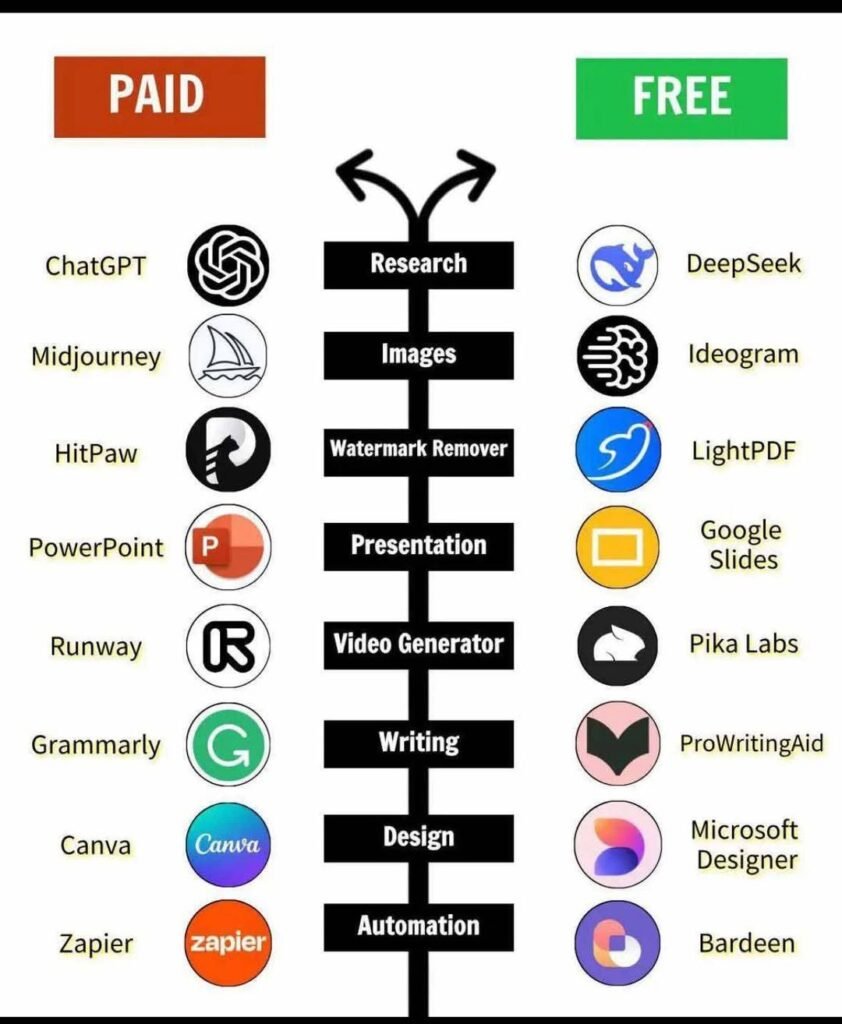
You don’t need advanced coding skills. Some beginner-friendly options:
- LangChain → Connect AI models with memory and tools.
- OpenAI → Pre-trained AI models like GPT for reasoning.
- Botpress → Build chatbots with minimal coding.
- Zapier AI → Automate workflows with AI logic.
Pro Tip: Start with no-code platforms before using complex frameworks like TensorFlow or PyTorch.
6. 7 Steps to Build Your First AI Agent
- Define the Goal – Identify the problem your assistant will solve.
- Select a Platform – Decide between no-code tools or development frameworks.
- Collect Data – Use FAQs, customer support tickets, or documents for training.
- Design Workflow – Plan how it interacts and responds to users.
- Train & Test – Teach the system using data and refine responses.
- Integrate with Applications – Connect with tools like Slack, Gmail, or CRMs.
- Deploy & Monitor – Track performance and optimize regularly.
7. Real-World Use Cases
- Customer Support: Automate responses to reduce response times.
- Productivity Assistants: Manage emails, meetings, and reminders.
- E-commerce: Suggest products and offer personalized recommendations.
- Business Automation: Perform repetitive tasks like data entry or report generation.
8. Common Mistakes to Avoid
- ❌ Trying to build a complex AI project immediately.
- ❌ Using poor-quality data for training.
- ❌ Skipping iterative testing and feedback cycles.
9. Best Practices for Beginners
- ✅ Start small with a single, clear use case.
- ✅ Leverage tutorials, AI communities, and documentation.
- ✅ Update data and models regularly for accuracy.
- ✅ Collect user feedback to continuously improve performance.
10. Conclusion & Next Steps
Creating your first AI-powered digital assistant is achievable with the right approach. Follow these steps to build a functional, intelligent system that improves efficiency and automates tasks.
Further Resources: